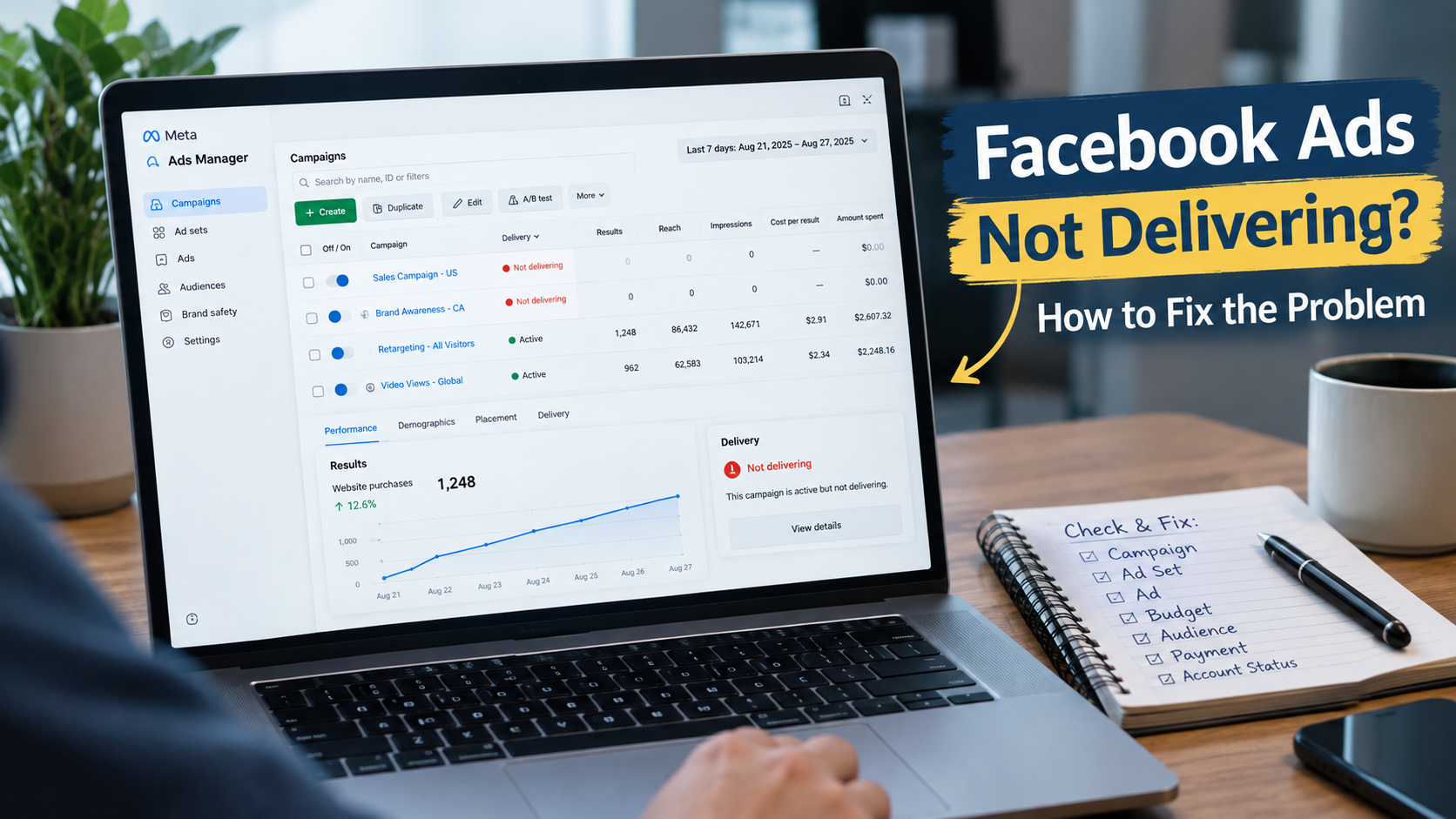
When Facebook ads are not delivering, the first reaction is often to change the creative, increase the budget, or duplicate the campaign. That can make the situation harder to diagnose. The real problem may be a review issue, audience restriction, schedule, payment problem, account restriction, placement setting, bidding setup, or campaign configuration.
A better approach is to troubleshoot in order: identify the problem, understand why it happens, check common user mistakes, and then apply the relevant solution.
1. The Problem Facebook Ads Are Not Delivering
A Facebook ad is not delivering when a campaign, ad set, or ad is active but receives little or no meaningful delivery. Here is some common signs that every person face,
- No impressions or almost no impressions
- Facebook ads are active but not spending
- A campaign is active while spend remains extremely low
- An approved ad still has very limited delivery
- An ad was running normally and suddenly stopped
- Ads Manager shows a warning, restriction, or delivery status that needs attention
An active status does not automatically mean normal delivery. Delivery depends on eligibility, configuration, audience, auction opportunities, and account conditions.
2. Why Facebook Ads Are Not Delivering
There is usually no single cause. Search these contains first,
- Review or eligibility issue
- Audience is too restrictive
- Budget, bidding, or optimization setup
- Campaign or ad set schedule
- Payment or billing problem
- Placement restrictions
- Advertising account restriction
- Recent campaign configuration changes
3. User Mistakes That Can Cause Facebook Ad Delivery Problems
Many delivery problems come from campaign setup mistakes rather than a broken ad system. Most of the marketer make these mistake,
- Making the audience unnecessarily narrow
- Adding too many exclusions or targeting restrictions
- Removing too many placements without a clear reason
- Using a schedule that has not started or has already ended
- Ignoring payment, policy, or account warnings
- Changing several settings at the same time
- Assuming an approved ad must automatically receive impressions
- Increasing the budget before checking eligibility
- Duplicating the campaign before diagnosing the original problem
- Repeatedly editing an ad while troubleshooting
Change one meaningful variable at a time whenever possible. This makes it easier to identify the real cause.
4. Check Campaign, Ad Set, and Ad Separately
Do not check only the campaign status. A campaign can be active while an ad set or individual ad has a delivery problem.
- Campaign level Check campaign status and configuration
- Ad set level Check audience, schedule, budget, optimization, and placements
- Ad level Check review status, restrictions, creative status, and delivery information
5. Check Delivery Status and Eligibility
Open Ads Manager and inspect delivery information at campaign, ad set, and ad level. Look for review messages, rejection notices, restrictions, payment alerts, audience warnings, policy notifications, and limited delivery notices. If the ad is not eligible to deliver, changing the creative may not solve the actual problem.
6. Check the Campaign Schedule
Check the start date, start time, end date, ad set schedule, account time zone, and spending limits. A campaign can look correctly configured while still being outside its delivery window.
7. Check Review, Approval, and Restrictions
If the required review process has not completed, normal delivery may not begin. Also remember that approval and performance are different. An approved ad can still have low delivery because of audience, budget, bidding, placement, optimization, or account-level conditions.
8. Check Audience Settings
Review location, age, gender, detailed targeting, exclusions, custom audiences, lookalike settings, and audience size. A heavily restricted audience can reduce available delivery opportunities. The goal is not simply to make the audience large or small, but to avoid unnecessary restrictions.
9. Check Budget, Bidding, and Optimization
Review the relationship between budget, bid strategy, optimization event, campaign objective, audience, and available auction opportunities. If Facebook ads are not spending, do not immediately increase the budget. First confirm that the campaign is eligible to spend and that another setting is not limiting delivery.
10. Check Placements
Manual placement choices can reduce available opportunities when too many placements are removed. During troubleshooting, check whether placement settings are unnecessarily restrictive.
11. Check Payment and Billing
When Facebook ads are active but not spending, check failed payments, expired payment methods, outstanding balances, spending limits, and payment verification notices. A billing problem can sit outside the campaign structure and still prevent normal spending.
12. Check for an Advertising Account Restriction
If several unrelated campaigns stop delivering around the same time, investigate the advertising account and business environment. Check account restrictions, business restrictions, payment problems, policy notifications, disabled assets, verification requirements, and unusual account warnings.
13. Solution When Facebook Ads Are Active but Not Spending
We are here for give you solutions that you need.
- 1 Check delivery status
- 2 Check schedule
- 3 Check payment status
- 4 Check audience restrictions
- 5 Check placements
- 6 Check account restrictions
- 7 Review budget and bidding
- 8 Review optimization and campaign objective
14. Solution When Facebook Ads Suddenly Stop Running
A campaign that was delivering normally and then stopped needs a change-focused investigation. Ask what changed immediately before delivery stopped.
- Was the ad edited
- Was the audience changed
- Was the budget changed
- Did the payment method fail
- Did the campaign reach an end date or limit
- Did an account warning appear
- Did the ad become restricted
- Did campaign or ad set settings change
Finding the most recent meaningful change is often the fastest way to narrow down a sudden delivery problem.
15. Should You Duplicate a Facebook Ad That Is Not Delivering
Not immediately. Duplication is not a diagnosis. If the underlying issue is payment, account restriction, policy status, audience limitation, scheduling, or another account-level condition, the duplicate may face the same problem.
16. When Another Facebook Advertising Account May Be Relevant
Some businesses and agencies may legitimately need to evaluate another advertising account setup. That decision should come after understanding the existing delivery problem, not as an automatic response to low impressions. Consider ownership, access, billing, business structure, account eligibility, policy compliance, and campaign requirements.
For readers researching available account options, see the Facebook Ads Accounts category on VerifiedCloudApiBM.
For a specific aged and verified profile option, review the 1.5-year aged verified Facebook profile with developer account. Any account should be used in line with Meta policies and applicable requirements.
17. Facebook Ads Not Delivering Troubleshooting Checklist
- Campaign is active
- Ad set is active
- Ad is active and eligible
- Start date and time are correct
- Required review is complete
- No rejection or restriction message
- Payment method is working
- No account-level restriction
- Audience is not unnecessarily narrow
- Placements are not unnecessarily restricted
- Budget and optimization settings fit the campaign
- No major recent configuration change
18. Set-up
When Facebook ads are not delivering, start by finding where delivery is being restricted. Check eligibility and delivery status first, then schedule, payment, audience, placements, budget, bidding, optimization, and account restrictions.
Do not rewrite the creative simply because impressions are low. Do not increase the budget simply because spend is low. Do not duplicate the campaign simply because it is active but not delivering. Identify the specific problem and correct that issue first.
Frequently Asked Questions
Why are my Facebook ads not delivering
Common causes include review or policy issues, account restrictions, payment problems, narrow targeting, scheduling, placement restrictions, budget or bidding settings, and campaign configuration.
Why are my Facebook ads active but not spending
Active status does not guarantee delivery. Check the schedule, payment status, audience restrictions, placements, bidding, optimization, and account-level restrictions.
Why is my Facebook ad getting no impressions
Check whether the ad is eligible, scheduled, approved, and connected to an audience and campaign setup that provides sufficient delivery opportunities.
Can a small audience stop Facebook ads from delivering
A heavily restricted audience can reduce available delivery opportunities, especially when combined with other restrictive settings.
Should I duplicate a Facebook ad that is not delivering
Not immediately. First identify whether the problem comes from the campaign, account, payment setup, audience, schedule, or policy status.
Can payment problems stop Facebook ads
Yes. Billing or payment issues can prevent normal ad spending.
What should I check first when Facebook ads stop delivering
Start with delivery status, schedule, review or restriction notices, payment status, audience settings, and account-level alerts.
Authoritative References
Meta for Business https://www.facebook.com/business/
Meta Ads Manager https://www.facebook.com/business/tools/ads-manager